
Coloradoan: Local News
USA TODAY Co.News & Magazines
2.5109.00 Reviews
- Version
- 8.10.3
- Installs
- 10.00K
- Age Rating
- Everyone 10+
Screenshots
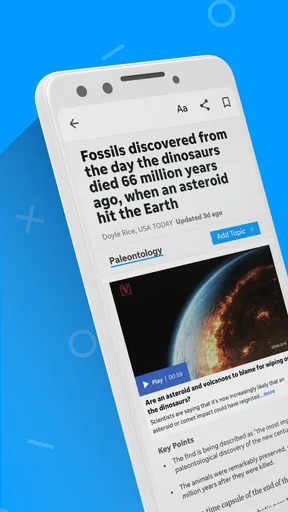

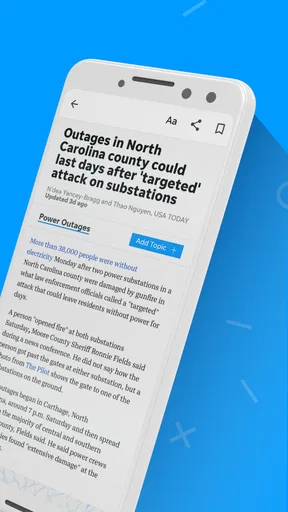

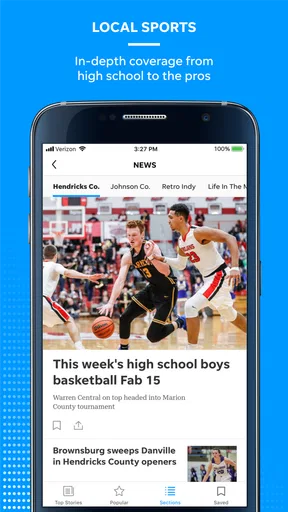
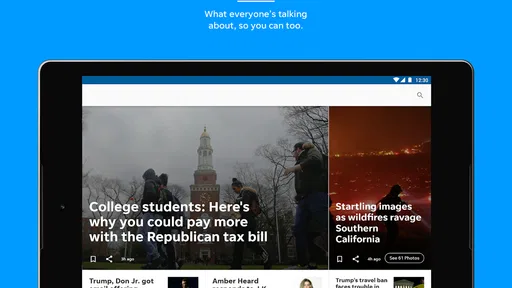
Our Review of Coloradoan: Local News
 Analysis by Appyee
I approached Coloradoan: Local News as the kind of app you open when national headlines are not enough. Published by USA TODAY Co., it is a free news and magazines app focused on the Coloradoan experience, combining local reporting with broader news, photography, and video. That sounds straightforward, but the real question is whether it becomes part of a daily routine or gets deleted after the first burst of curiosity.
My first impression was shaped by its narrow identity. The store short description is simply “Coloradoan,” which tells me this is not trying to be a general-purpose newsstand with dozens of unrelated publications. Its role is more personal: give readers a place to check what is happening around them while still offering national context. I found that positioning more useful than an app that throws every possible headline at me without a clear local center.
What the first week feels like
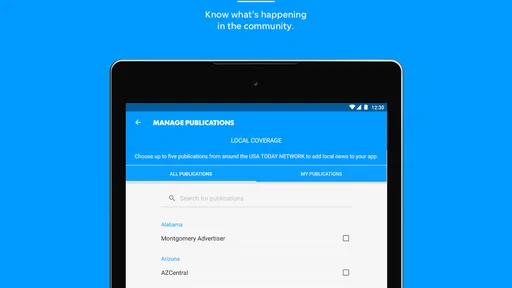
During the first few days, the strongest appeal is immediacy. A local news app can make familiar places, public decisions, community activities, and regional concerns feel more relevant than stories selected only for national attention. I was not opening it simply to fill time; I was checking whether it could help me understand the area I live in or plan to visit.
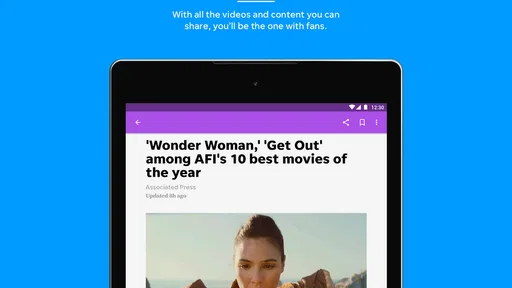
The combination of written news, striking photography, and video gives the experience more variety than a plain list of headlines. Photography is particularly valuable for stories where location and atmosphere matter. Video can also make an event or developing story easier to grasp, although I personally prefer having enough written context before deciding whether a clip deserves my attention.
One useful first-week habit is to open the app at a consistent moment rather than treating it like an emergency alert service. I found it better suited to a morning check, a lunchtime catch-up, or an evening scan than to constant refreshing. That small distinction matters: the app works best as a local briefing, not as a replacement for every source of breaking information.
A realistic everyday scenario would be a person commuting, studying, or working in the region who wants a quick sense of what deserves attention before the day gets busy. I would open the app, scan the local headlines, pause on one visual story, and then decide whether a longer read or video was worth the time. That workflow is more sustainable than attempting to consume everything.
The app is free to install, which makes the first-week trial easy. It is rated for Everyone 10+, so it is broadly accessible to families and older children, though parents should still remember that news can cover serious or upsetting subjects even when an app has a general audience rating. In practical terms, the age label does not mean every story will be comfortable for every reader.
Where it stands beside ordinary news alternatives
Compared with a web browser, a dedicated app removes some of the friction of searching for the same publication repeatedly. Compared with a broad national news app, it offers a clearer local purpose. The trade-off is range: a national aggregator may be better when I want many viewpoints or a rapid overview of worldwide events, while this app makes more sense when regional relevance is my priority.
Social media is another tempting alternative because it can surface local stories quickly. I would still prefer this app when I want a more deliberate reading experience rather than a stream shaped by reactions, reposts, and unrelated recommendations. Social platforms may be faster at showing that something is happening, but a publication-centered app is usually easier to use when I want to follow the story itself.
That does not make Coloradoan: Local News the best choice for everyone. If my main interest were international markets, technology, entertainment, or a carefully balanced collection of national sources, I would choose a broader news product. This app earns its place through local focus, not through trying to cover every subject equally.
Finding recurring value after the novelty
The first-week question is “What is here?” The month-to-month question is “Why should I keep coming back?” For me, the answer depends on whether local stories affect my decisions. Someone choosing where to spend a weekend, following community developments, keeping up with regional issues, or wanting a stronger connection to home can find recurring value in that focus.
The app’s national material also helps prevent the experience from feeling too narrow. Local news is easier to understand when it sits beside wider events, and national context can explain why a regional story matters. Still, I would not treat the app as my only source. A single publication can be convenient, but readers who care deeply about public affairs may want to compare reporting and commentary elsewhere before forming a firm opinion.
One of the less obvious benefits of a local publication app is memory. When I return over several weeks, individual stories begin to connect: a decision leads to a reaction, a local event becomes part of a larger conversation, and recurring names or places become easier to recognize. That continuity is something a constantly changing national feed often loses.
My practical tip is to avoid judging its value by how many articles I read in one session. Local reporting can be useful even when I only read one story, because that story may answer a question that a general news feed never addresses. The better test is whether the app repeatedly helps me understand something close to home.
There is also a useful distinction between active and passive reading. Active reading means opening the app with a question, such as what changed locally today or whether a regional event has developed. Passive reading means scrolling until something catches my eye. The first approach makes the app feel purposeful; the second can make it feel like another endless feed.
Who is likely to keep it installed
I see the strongest fit for Colorado residents, former residents who want a connection to the area, visitors preparing for a trip, and readers who prefer local reporting over an anonymous national stream. It can also suit people who enjoy visual storytelling and want photography and video alongside written coverage.
It is less convincing for someone who already has a carefully organized collection of local websites, newsletters, and national sources and does not want another place to check. It may also disappoint readers who expect every desired topic to receive equal depth. The app has a defined regional identity, and that is both its reason to exist and its boundary.
The current version is 8.10.3, and the app requires Android 8.0 or newer. That makes device compatibility an important practical check before installing, especially if I am keeping an older phone for travel or emergencies. On a supported device, I would still judge it by how comfortably it fits into my routine rather than by version number alone.
Maintenance, fatigue, and the cost of attention
News apps do not usually demand maintenance in the same way as productivity tools, but they do require attention management. The burden here is deciding when to open the app, which stories deserve time, and whether repeated visits are giving me something new. If I check it without a purpose, it can become another source of small interruptions.
The presence of in-app purchases also deserves a careful look. The listed purchase range runs from $14.99 to $69.99 per item, so I would review any payment screen closely before confirming anything. Because the app itself is free, the sensible approach is to install it, understand the reading experience, and only then decide whether any optional purchase fits my needs.
I would not assume that free installation means the entire long-term experience is cost-free in every respect. The purchase range is significant enough that readers should know where they are tapping and whether they are starting a one-time transaction or choosing a broader access option. This is not a reason to reject the app, but it is a reason to avoid casual confirmation.
Another maintenance issue is relevance. Local news changes quickly, and a quiet day may make the app seem less valuable than a day filled with major developments. I would resist making a permanent decision based on one slow session. Instead, I would use it for a couple of weeks and ask whether it regularly helps me notice useful local information.
Fatigue can also come from repetition. If several updates concern the same developing event, I may feel that I am seeing movement without receiving much new understanding. The best response is not necessarily to abandon the app; it is to check whether a fuller article, photograph, or video adds context before continuing to scroll.
Visual content brings its own trade-off. Photography can make local reporting more immediate and human, while video can make the app feel livelier. At the same time, readers on limited time may find visual elements slower than a clean text-only briefing. I would use the visuals selectively, especially when I am checking headlines during a short break.
Small habits that make the app more useful
I would begin by giving it a defined role: local morning briefing, evening catch-up, or occasional regional check-in. I would not let it compete with every other news source throughout the day. A clear role reduces fatigue and makes it easier to notice whether the app is actually contributing anything.
When a story matters to me, I would read beyond the headline and look for the surrounding visual or video material. Headlines are efficient, but they can flatten complicated local issues. The combination of formats is most useful when I use it to build understanding rather than simply consume more content.
I would also compare important stories with another reputable source. That is not a criticism unique to this app; it is a sensible habit for any single-publication news service. Coloradoan: Local News can be my local starting point, while a broader outlet can provide another angle or additional national context.
Finally, I would periodically ask whether the app still serves my life. If I moved away, stopped following regional affairs, or found that my existing news routine already covered the same ground, uninstalling it would be reasonable. Keeping an app out of habit is not the same as finding it useful.
My long-term verdict
After the novelty fades, I think Coloradoan: Local News can earn lasting space for readers who genuinely value Colorado-focused coverage. Its local identity gives it a clearer purpose than a generic news feed, while its mix of reporting, photography, video, and national material keeps the experience from feeling completely limited to one type of story.
My reservation is that its value is highly personal. I would not recommend it automatically to someone who wants a broad, multi-source news dashboard or who dislikes maintaining separate apps for separate regions. The average rating of 2.5 from around 211 ratings suggests that the experience has not satisfied everyone, so I would approach it as a trial rather than an unquestioned essential.
Its reach is still modest, with over 10 thousand installs, which reinforces my view that this is a focused product rather than a universal news destination. That is not inherently negative. A smaller, more relevant audience can be perfectly appropriate for a local publication, but it means the app’s success should be measured by usefulness to the right reader, not popularity alone.
For me, the deciding factor is recurring relevance. If local stories influence my plans, conversations, travel, or understanding of the community, I can see opening this app regularly. If I only want occasional national headlines, I would choose a broader alternative and avoid adding another routine to my phone.
My recommendation is to try it as a focused local briefing, not as your only news source. Give it a fair stretch of everyday use, pay attention to how much genuine context it adds, and be cautious with optional purchases. For the right reader, that combination of local attention and richer visual coverage can remain useful well beyond the first week; for everyone else, the narrow focus may become its biggest limitation.
Verdict
Strengths of Coloradoan: Local News
- Covers Colorado stories from local communities, not just major cities.
- Useful for readers who want quick updates on regional developments.
- Helps users stay connected with nearby events and public issues.
- Local reporting can provide more relevant context than national news apps.
- A convenient way to follow Colorado news while traveling around the state.
Limitations of Coloradoan: Local News
- Coverage may vary depending on the region and available local reporting.
- Some stories may require an internet connection to load fully.
- News notifications could feel excessive if many topics are selected.
- The app may have limited value for users outside Colorado.
- Local news content can be less frequent during slower news periods.
Other Releases by USA TODAY Co.
View All
IndyStar: Indianapolis Star
News & Magazines2.7

AZ Central: Arizona Republic
News & Magazines2.5

The Detroit News: Local News
News & Magazines3.1

Detroit Free Press: Freep
News & Magazines3.0
Similar Picks in This Category
View All
Google News - Daily Headlines
Google LLC4.0

X
X Corp.4.8

Flipboard:Your Social Magazine
Flipboard3.4

Opera News: breaking & local
Opera4.5

Hindi News by Dainik Bhaskar
Dainik Bhaskar Group4.0

Way2News Daily News App
Way2News ( Formerly Way2SMS )4.6
Frequently Asked Questions
What is Coloradoan: Local News?
Coloradoan: Local News is a news application focused on delivering local coverage for communities in Colorado. It typically brings together breaking news, regional reporting, opinion pieces, sports, entertainment, weather updates, and community information in one mobile experience. It is designed for readers who want convenient access to stories affecting their city, county, and surrounding area.
Is Coloradoan: Local News free to download and use?
The application can generally be downloaded at no initial cost, but access to all articles or premium features may depend on the publisher’s subscription model. Some stories may be available without payment, while other content could require a digital subscription or account. Before downloading, users should review the current pricing, trial terms, and in-app purchase details shown in the official store.
What type of local content can I read in the app?
The app is intended to provide a broad selection of Colorado-focused journalism rather than only headline news. Depending on your selected location and the publisher’s current coverage, you may find local government reports, crime and public safety updates, education news, business stories, sports, lifestyle articles, weather information, event coverage, and community announcements. Availability can vary by region.
Does Coloradoan: Local News send breaking-news notifications?
Many local news apps offer optional push notifications for breaking stories, severe weather, important public announcements, and major developments. Coloradoan: Local News may allow you to manage these alerts through the app or your device settings, so you can choose which notifications to receive. Users should check notification permissions after installation, since alerts may be disabled by default.
Does the app require an account or internet connection?
An internet connection is normally required to load the latest articles, images, videos, and live updates. Some publishers may let users browse limited content without signing in, while an account can be needed for subscriptions, saved articles, newsletters, or personalized preferences. Mobile data usage may increase when streaming multimedia, so Wi-Fi is recommended for frequent reading.
